Tech Vaidya WhatsApp Channel
Get AI updates, tech news, cybersecurity alerts and useful tech tips directly on WhatsApp.

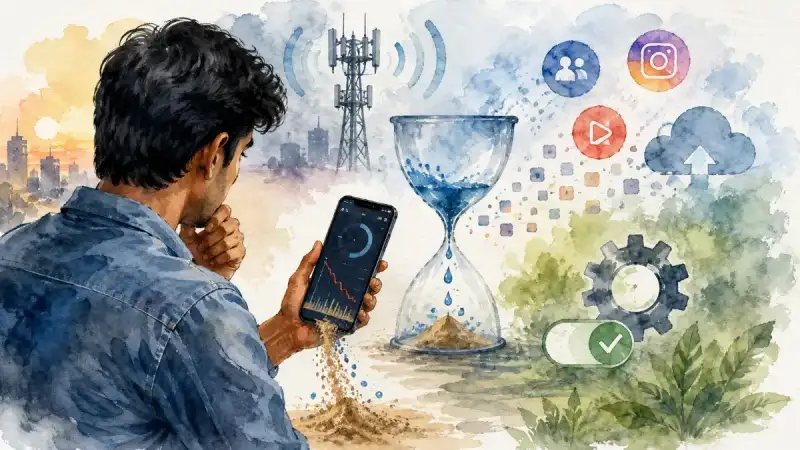
The arrival of 5G has completely changed the smartphone experience. Videos start playing instantly, large files download within seconds, and apps feel faster than ever before. While users are enjoying these high speeds, many have also started noticing a new problem. Mobile data that once lasted an entire day now disappears within a few hours. Many users complain that their daily data pack gets exhausted much earlier than it used to, even though their browsing habits haven't changed significantly.
At first glance, it may seem like a problem with your mobile network operator. However, that's not always the case. In many situations, your smartphone itself is responsible for excessive data consumption. Background apps, hidden Android settings, cloud synchronization, and network preferences can silently consume large amounts of data without your knowledge. The good news is that you don't need any third-party app to fix this. A few changes in your phone's settings can significantly reduce unnecessary data usage.
Modern smartphones constantly perform dozens of background tasks. They upload photos to cloud storage, synchronize emails, refresh social media feeds, update applications, collect location information, and communicate with online services throughout the day. Individually, these activities may seem insignificant, but together they can consume a surprising amount of mobile data.
If you've ever left your phone untouched for several hours and later noticed that hundreds of megabytes of data had already been used, background activity is probably the reason. Understanding and controlling these hidden processes is one of the easiest ways to extend the life of your daily data pack.
Check This Hidden Setting First
One of the lesser-known Android settings is Mobile Data Always Active, located inside Developer Options. When enabled, your phone keeps the mobile data connection active even while you're connected to Wi-Fi. This feature allows your device to switch instantly from Wi-Fi to mobile data whenever the Wi-Fi signal drops.
For most users, this feature offers little real-world benefit. If you spend most of your time connected to a stable home or office Wi-Fi network, disabling this option can reduce unnecessary background network activity. While it may not dramatically reduce data usage overnight, it helps eliminate unnecessary mobile data communication and can also improve battery life slightly.
Developer Options should be used carefully, and users unfamiliar with advanced Android settings should avoid changing unrelated options. However, this particular setting is generally safe to adjust if you understand its purpose.
 Worried About UPI MDR Charges? Digital Rupee Could Become an Alternative
 Should You Buy a Laptop or Is a Tablet Enough? The Answer Has Changed in 2026
 Lost Your Phone? Here's How to Find It Using CEIR and Google's New Offline Tracking
 Paying for Gigabit but Getting Kbps? The 5-Minute Secret to Unlocking Your Wi-Fi
 Did You Know Your Money Is Locked in NPCI Servers for 45 Minutes Before Reaching the Recipient?
Wi-Fi Off Doesn't Always Mean Wi-Fi Is Off
Many users assume that turning off Wi-Fi completely stops Wi-Fi-related activity. That's not entirely true. Android devices also include Wi-Fi Scanning and Bluetooth Scanning features, which continue searching for nearby networks and devices to improve location accuracy.
These background scans are useful for navigation apps and certain location-based services, but they aren't necessary for everyone. If you don't rely heavily on precise location services, disabling both scanning options can reduce unnecessary background activity. Although the impact on mobile data may be modest, it can also contribute to better battery efficiency.
Does 5G Really Consume More Data?
This is one of the most common misconceptions about 5G. The network itself doesn't automatically consume more data. Instead, its higher speed allows content to load much faster. Streaming services may automatically switch to higher video quality, cloud backups may complete more quickly, and apps can download updates in the background before you even notice.
In India, most commercial 5G networks currently operate on FR1 (Sub-6 GHz) spectrum. Many Android phones offer different network modes such as 5G Auto, 5G NSA, or similar options. If your area has unstable 5G coverage, your phone may constantly switch between 4G and 5G, affecting battery life and overall efficiency.
Choosing the most appropriate network mode for your location can provide a better balance between performance and battery consumption. It's also worth checking your phone manufacturer's specifications to understand which 5G bands your device actually supports.
Your Apps May Be Using More Data Than You Are
In many cases, users blame YouTube for excessive data usage. However, apps like Facebook, Instagram, Google Photos, cloud backup services, and even app stores often consume significant amounts of data in the background.
Open your phone's Data Usage section and review which applications consume the most mobile data. You'll often discover apps that continue syncing content even when you're not actively using them. Restricting Background Data access for non-essential apps can make a noticeable difference over the course of a month.
Be careful not to restrict important applications such as banking apps, messaging services, or work-related communication tools, as doing so may delay important notifications.
Data Saver Alone Isn't Enough
Most online guides simply recommend enabling Android's Data Saver feature. While that's a good starting point, it's only half the solution. After enabling Data Saver, you should also review the Unrestricted Data Access list.
This allows you to choose which applications are allowed to continue using mobile data in the background. Essential apps like WhatsApp, banking applications, or work tools can remain unrestricted, while less frequently used apps can be prevented from consuming data unnecessarily.
This small adjustment often has a much greater impact than simply turning on Data Saver and forgetting about it.
If your daily data pack is running out much faster than expected, don't immediately assume your telecom provider is at fault. Modern smartphones are designed to stay connected continuously, and many hidden processes consume data without obvious signs. Reviewing your phone's data usage report once every few weeks, limiting unnecessary background activity, and adjusting a few key Android settings can significantly improve your mobile data efficiency.
In the 5G era, higher speed is certainly an advantage. But managing that speed intelligently is equally important. A few minutes spent optimizing your phone's settings today could save both mobile data and battery life throughout the month.

No Comment Yet.
Stay informed with breaking news, trending stories, and in-depth analysis.