Tech Vaidya WhatsApp Channel
Get AI updates, tech news, cybersecurity alerts and useful tech tips directly on WhatsApp.

| Nagaraj Vaidya
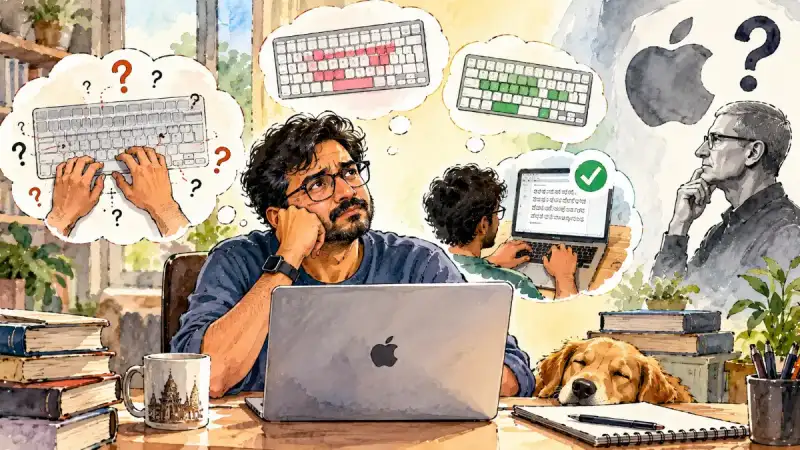
Buying an Apple laptop or PC usually comes with a sense of satisfaction. The speed, design, display, battery life and overall user experience feel polished and dependable. Typing in English is generally smooth, fast and effortless. But the moment you sit down to write a long Kannada article, the real test begins. Before completing even one paragraph, the struggle with unfamiliar key positions, incorrect characters and complicated conjunct letters can leave your fingers—and your patience—exhausted.
The problem is not with the Kannada language. It is not with the user’s typing ability either. It is not even with the performance of the Apple laptop or PC. The real problem is the Kannada typing experience offered by Apple. A company that spends billions developing advanced computers, artificial intelligence, voice recognition, translation and accessibility features should be able to provide a simple and natural Kannada keyboard. So, why is it still so difficult?
Here is a serious question Apple needs to answer: If the company can develop advanced cameras, AI features, satellite connectivity and sophisticated language technologies, what exactly is stopping it from creating a proper Kannada keyboard? Kannada is spoken and used by millions of people. Its users buy Apple laptops and PCs, pay premium prices and work inside Apple’s ecosystem. Yet, when they want to type in their own language, they are forced to search for third-party solutions.
I have tried three Kannada keyboard options on an Apple computer: Apple’s default Kannada keyboard, Nudi Mac and Aksharasiri, developed by Manjunath R. Based on practical usage, Aksharasiri feels like the most convenient option for people who write long articles, scripts, books or digital content in Kannada every day. It is not a product from a major technology company. But it appears to understand the real problems faced by Kannada users.
Apple’s Default Kannada Keyboard: Fine for Beginners, Difficult for Experienced Users
Apple’s default Kannada keyboard follows an InScript-based layout. For someone learning Kannada typing from the beginning, this layout may be manageable with regular practice. But for users who have spent years typing in Nudi or a similar Kannada keyboard layout on Windows, it feels completely unfamiliar. The keys are placed differently from what their fingers have memorised over the years. As a result, users spend more time looking for letters than focusing on what they actually want to write.
For experienced Kannada typists, a keyboard is not simply a collection of letters. The position of each character becomes part of muscle memory. Letters such as ‘ka’, ‘ta’, ‘na’, ‘ra’, ‘la’, ‘tta’ and ‘dda’ are typed without consciously looking for them. When the layout suddenly changes, that natural speed disappears. The user has to search for keys, correct mistakes and repeatedly interrupt the flow of writing.
 Apple Finally Folded the iPhone! Why the iPhone Duo Could Change the Smartphone Industry
 The Smartphone Illusion Why Your Favorite Brands Share the Same Boss
 World Smartphone Statistics 2025: The Numbers That Define Our Digital Life
 TechVaidya: One Year. Over a Thousand Articles. And a long road still ahead...
 NASA Invites ISRO to Join the Moon Base Mission: Why This Could Be a Turning Point for India
The problem becomes more noticeable with letters such as ‘ಟ’, ‘ಡ’, ‘ಣ’ and ‘ಳ’. Their positions in the InScript layout are not familiar to many Nudi users. A single mistake can be corrected easily, but repeated mistakes during a long article become frustrating. When someone writes in Kannada for two or three hours a day, even a small inconvenience can turn into a major productivity issue.
Conjunct letters create another layer of difficulty. Kannada writing depends heavily on combinations such as ‘ಕ್ರ’, ‘ಪ್ರ’, ‘ತ್ರ’, ‘ಶ್ರೀ’, ‘ರ್ಯ’, ‘ಕ್ತ’, ‘ನ್ನ’ and ‘ರ್ತ್ರ’. These combinations should be easy to produce through a natural typing process. However, InScript can make the use of the halant and conjunct formation confusing, especially for users who are already comfortable with Nudi.
Characters such as ‘ಅಂ’, ‘ಅಃ’, ‘ಋ’, ‘ೞ’, ‘ಳ’ and ‘ಣ’ can also require additional effort. New users may be able to learn the layout over time. But for an experienced Kannada typist, the process feels like starting again from the beginning. A premium computer should not make a professional writer spend more time learning the keyboard than writing the content.
Nudi Mac: Familiar, but Not Completely Perfect
Nudi is a well-known name in Kannada computing. It played an important role in the growth of Kannada typing and publishing on Windows computers. For many users, the Nudi key mapping has become a part of their everyday typing habit. Therefore, when they move to an Apple laptop or PC, they naturally expect the same familiar experience. Nudi Mac attempts to provide that comfort.
The biggest advantage of Nudi Mac is its familiar layout. Users who have typed in Nudi for years do not need to learn every letter from scratch. Most of the important Kannada characters are placed in a way that feels recognisable. Since it works with Unicode, it can also be used for modern documents, websites, text editors and publishing workflows.
For someone moving from Windows to an Apple computer, Nudi Mac can be a useful bridge. It reduces the learning curve and allows the user to continue working with a familiar typing method. This is particularly important for journalists, writers, designers and publishers who cannot afford to lose productivity while adapting to a new computer.
However, Nudi Mac is not a completely perfect solution. Some key mappings can create confusion, especially with the ‘ಟ’, ‘ಠ’, ‘ಡ’ and ‘ಢ’ groups. Even experienced Nudi users may occasionally press the wrong key and get an unexpected character. Such mistakes may appear minor, but they become irritating when they occur repeatedly during long-form writing.
There can also be problems with certain conjunct letters. Combinations such as ‘ಕ್ತ’, ‘ನ್ನ’ and ‘ರ್ತ್ರ’ may not always appear as expected in every application. A text that looks fine in one software may appear differently in another if the character sequence is not handled properly. For professional Kannada users, this is an important issue because content is often written in one application and designed or published in another.
Some professional applications may also create additional challenges. Kannada typing may not work smoothly in every video-editing, title-design or graphics application. When a user has to type Kannada titles, subtitles or poster text, any compatibility problem adds extra steps to the workflow. At a time when Kannada digital content is growing rapidly, such limitations can affect both time and productivity.
Nudi Mac may provide nearly 90 percent of the familiar Nudi experience. But in professional work, the remaining 10 percent can become the most frustrating part. A wrong character, a broken conjunct letter or an application that does not accept the keyboard properly can interrupt the entire writing process.
Aksharasiri: A More Natural Alternative for Kannada Typists
This is where Aksharasiri, developed by Manjunath R, becomes interesting. It is a keyboard layout based on the Nudi typing method but designed specifically for Apple computers. Most third-party keyboard solutions are often seen as temporary or incomplete alternatives. Aksharasiri, however, feels like a layout created by someone who understands the practical needs of people who type Kannada for long hours.
One of its strongest features is its logical key mapping. The relationship between letters is arranged in a way that is easier for the fingers to remember. For example, ‘ತ’ is assigned to ‘t’, while ‘ಥ’ is produced using Shift with the same key. Similarly, ‘ಟ’ and ‘ಠ’ are placed together through the use of uppercase and Shift combinations. The same logic applies to groups such as ‘ದ–ಧ’ and ‘ಡ–ಢ’.
This kind of arrangement is useful because Kannada letters often have relationships between their basic and aspirated forms. When related letters are grouped logically, users do not need to memorise every character separately. Once the pattern is understood, the fingers can move naturally between related letters. This helps experienced Nudi users retain much of their existing typing rhythm.
Aksharasiri also appears to handle conjunct letters more naturally. Combinations such as ‘ಕ್ರ’, ‘ಪ್ರ’, ‘ತ್ರ’, ‘ಶ್ರೀ’ and ‘ರ್ಯ’ can be typed using a familiar halant-based process. The characters are less likely to appear broken or improperly joined during regular use. For anyone writing long Kannada articles, this small improvement can make a significant difference.
The benefit is not limited to article writing. Kannada is used in book publishing, newspaper page design, video titles, social media posters, YouTube thumbnails, websites and office documents. In all these workflows, the ability to type clean Unicode Kannada is essential. Text should remain usable when copied from one application to another.
Aksharasiri’s Unicode-based approach makes it suitable for modern writing and design workflows. It can be useful in applications such as Pages, Word, web editors, video title tools and graphics software. Of course, the final rendering of Kannada can still depend on the application and its font engine. But a reliable Unicode input method provides a strong foundation.
Unicode Alone Is Not Enough
Kannada typing has a long history of font-based systems. In the past, text written using one Kannada font could appear as boxes or incorrect characters on another computer. Unicode reduced many of these problems by providing a common standard for digital text. However, Unicode alone does not guarantee a good typing experience.
The keyboard layout, character sequence, conjunct formation and application compatibility are equally important. A keyboard may technically produce Unicode characters, but if the layout is difficult to use or if conjunct letters are formed incorrectly, the user experience remains poor.
Aksharasiri is useful because it combines a familiar typing method with a Unicode-based layout. This allows users to write Kannada in modern applications without depending on old font-specific systems. For publishers and digital creators, this makes it easier to move text between documents, websites, design software and content management systems.
Another advantage is that Aksharasiri works as a keyboard layout rather than a large application that must constantly run in the background. Once installed and enabled through the Apple computer’s input source settings, it can be selected whenever Kannada typing is needed. This keeps the process simple.
However, users should always obtain keyboard files from a trusted source. Before installing any third-party keyboard, it is important to check where the files came from and whether they require unnecessary permissions. A keyboard layout file and a separate background application are not the same thing. Users should avoid unknown scripts or software that request access unrelated to typing.
How to Install Aksharasiri on an Apple Computer
To find the keyboard, search for “Aksharasiri Keyboard Manjunath R” on Google or GitHub. Depending on the available distribution, the package may include a .keylayout file and a related icon file. Always verify the source before downloading or installing anything.
Open Finder on your Apple laptop or PC. From the top menu, select Go, followed by Go to Folder. Enter the following path:
~/Library/Keyboard Layouts/
Copy the Aksharasiri keyboard layout file and any related icon file into that folder. If the folder is not visible, entering the path directly through Go to Folder should open it.
After copying the files, log out and log in again. In some cases, restarting the computer may also help the operating system recognise the new layout.
Next, open System Settings and go to Keyboard. Select Input Sources and add a new input source. Look under the relevant section, such as Others, and check whether Aksharasiri is available. Select it and add it to your input sources.
Once it is enabled, you should be able to switch between English and Kannada using the keyboard input menu. On many Apple computers, Control + Space can be used to change the input language, depending on the system settings.
Before beginning serious work, test a few words and conjunct letters. Try typing ‘ಟ’, ‘ಠ’, ‘ಡ’, ‘ಢ’, ‘ಕ್ರ’, ‘ಶ್ರೀ’, ‘ರ್ಯ’, ‘ಕ್ತ’ and ‘ನ್ನ’. This will help you confirm that the layout is working properly in your preferred application.
The Question Apple Must Answer
Apple promotes its products as devices designed for everyone. The company supports multiple languages and invests heavily in artificial intelligence, accessibility, voice input and translation technologies. Yet, for Kannada users, basic typing still often depends on third-party keyboard layouts.
Kannada users are not asking for a completely new operating system. They are not asking for special hardware. They are asking for a keyboard that allows them to type their own language naturally, quickly and accurately. They need proper conjunct formation, Unicode compatibility and reliable support across commonly used applications.
This should not be an impossible technical challenge for Apple. The company could work with Kannada language experts, Unicode specialists, keyboard designers and real users to understand the problems. It could study existing typing methods such as Nudi and build a modern, native Kannada keyboard that respects the habits of experienced users.
The demand is simple. Kannada users want to focus on writing—not on searching for keys, correcting broken characters or finding workarounds. If Apple wants to offer a truly inclusive computing experience, language support must go beyond displaying text. It must also make writing that language easy.
So, the question remains: Apple can build some of the most advanced laptops and PCs in the world. Why is creating a practical and user-friendly Kannada keyboard still such a difficult task?
There may not be one keyboard that suits every Apple computer user. Beginners who are willing to learn InScript can continue with Apple’s default Kannada keyboard. Users who are moving from Windows and already know Nudi may find Nudi Mac familiar and useful.
But for people who write Kannada articles, scripts, books or digital content for several hours every day, Aksharasiri appears to be the more convenient option. Its logical key mapping, familiar Nudi-style approach, Unicode support and improved handling of conjunct letters make it worth trying.
Aksharasiri is not a product from a large technology company. It is a practical effort to solve a real problem faced by Kannada users. That is what makes it valuable.
If you have been using Nudi for years and are struggling with letters such as ‘ಟ’, ‘ಡ’, ‘ಶ್ರೀ’ or other conjunct combinations on an Apple laptop or PC, give Aksharasiri a try. It may help your fingers regain the natural rhythm they already know.
But the final question belongs to Apple: If you can build world-class laptops and PCs, what exactly is stopping you from giving Kannada users a truly natural Kannada typing experience?

No Comment Yet.
Stay informed with breaking news, trending stories, and in-depth analysis.